Interview Settings
Use Interview settings to configure scheduling defaults for interviews across the workspace.
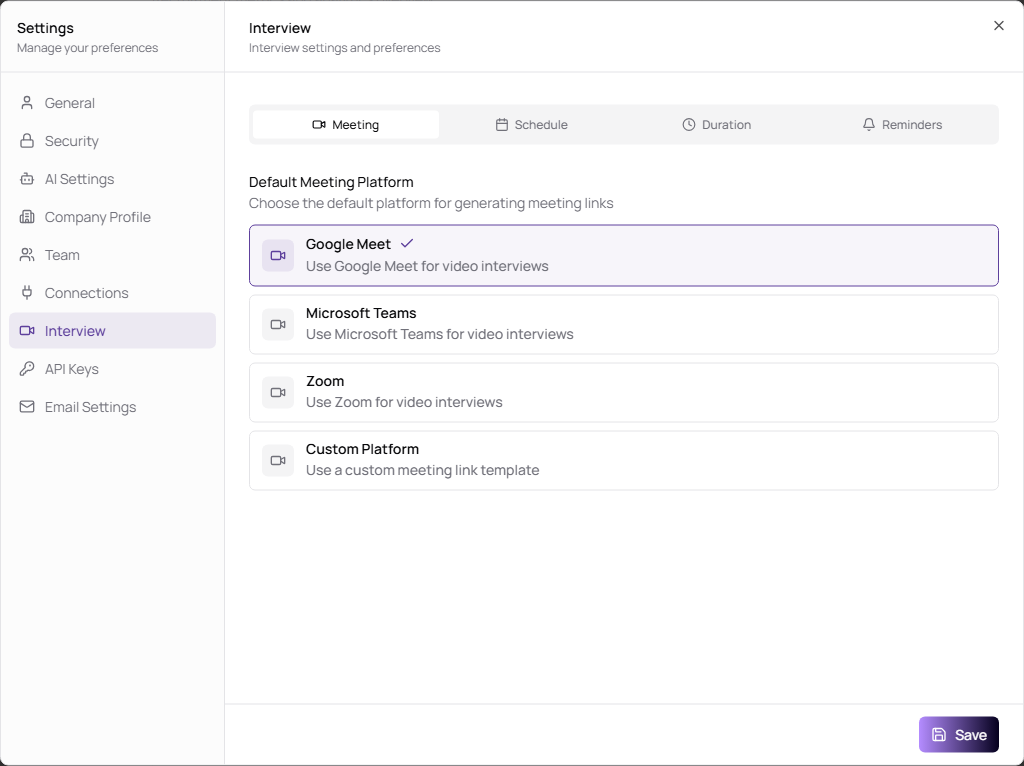
Configure Interview Defaults
The Interview module has four internal tabs.
| Tab | Use it to |
|---|---|
| Meeting | Choose the default meeting platform, such as Google Meet, Microsoft Teams, Zoom, or a custom meeting link template. |
| Schedule | Set timezone, weekly working hours, buffer time, and lunch break. |
| Duration | Set default interview duration and available duration presets. |
| Reminders | Enable automated reminders, choose reminder timings, and control notification recipients. |
Important Fields
| Field | Description |
|---|---|
| Default Meeting Platform | Meeting platform selected by default when scheduling interviews. Connected platforms may require setup in Connections. |
| Custom Meeting Link Template | Custom URL pattern. Include {id} so TruePick can generate unique links. |
| Time Zone | Timezone used for scheduling rules. |
| Working Hours | Days and times when interviews should be scheduled. |
| Buffer Time | Gap between interviews, from 0 to 120 minutes. |
| Lunch Break | Optional blocked time during the workday. |
| Default Interview Duration | Default meeting length. |
| Duration Presets | Durations shown when scheduling interviews. Custom presets can be 15 to 300 minutes. |
| Automated Reminders | Sends interview reminders when enabled. |
| Email Notifications | Primary notification channel. Email stays enabled as the default channel. |